

Directory and File Sharing
- Directories and files are by default accessible to all members of the programme.
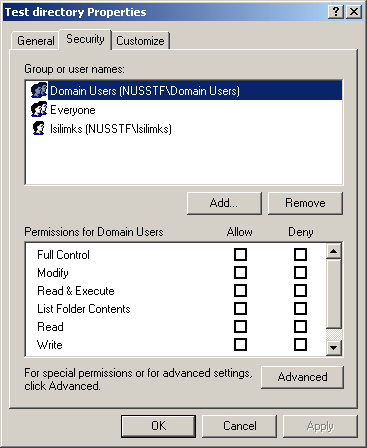
- Select directory/file, right-click on it and select “Properties”.
- You should be able to go to the “Security” tab.
| directory |
 |
| file |
 |
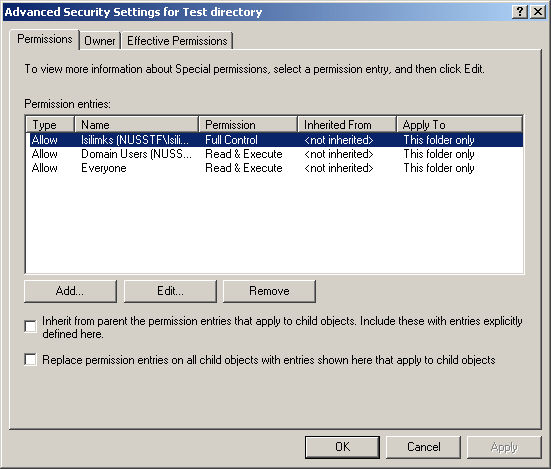
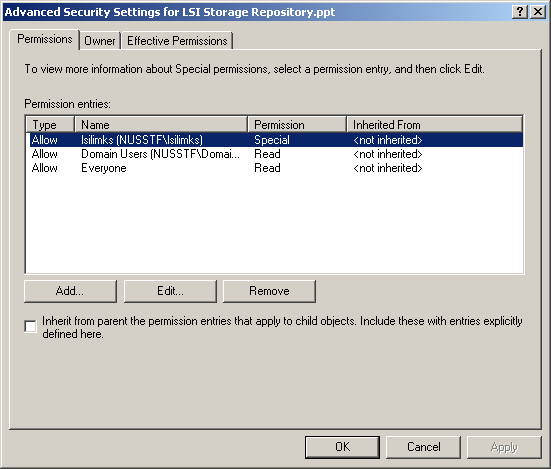
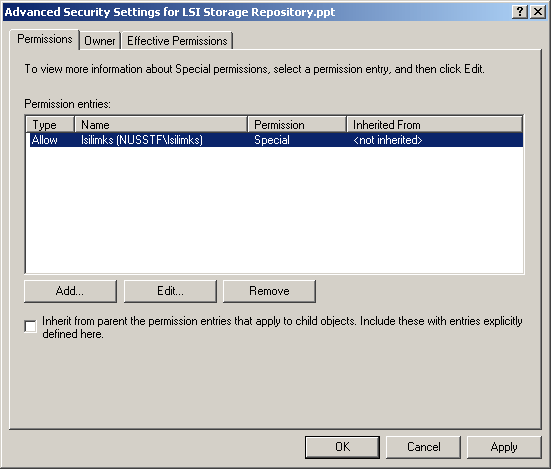
- click on “advanced” button and you should be able to see the following permission summary
| directory |
 |
| file |
 |
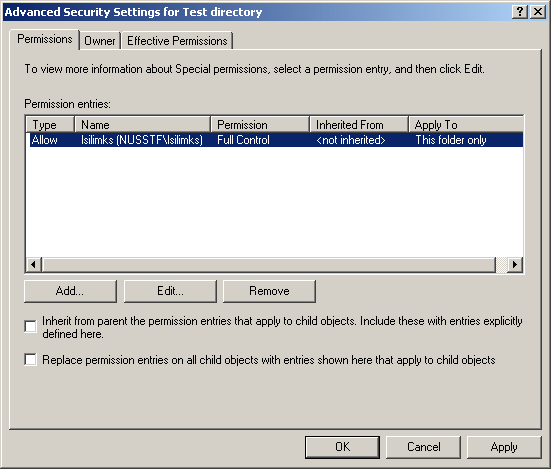
- To disallow programme members from viewing your directory, click on “user (user)” and click on “remove” button.
- Do the same for “everyone” unless there are student access required.
- This applies to both directories and files.
| directory |
 |
| file |
 |
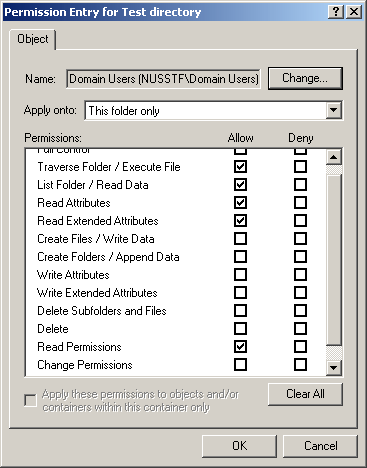
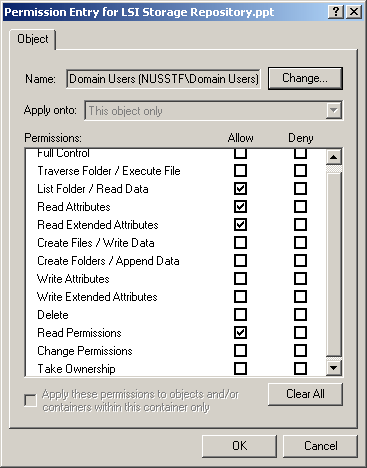
- To allow programme members to view your directory, click on “domain users (nusstf\domain users)” and click on “edit” button.
- Check the following attributes:
| Ddirectory | File | |
| Traverse folder / Execute file | ✔ | |
| List folder / Read data | ✔ | ✔ |
| Read Attributes | ✔ | ✔ |
| Read Extended Attributes | ✔ | ✔ |
| Read Permissions | ✔ | ✔ |
| directory |
 |
| file |
 |